






How Mediabox-DAM will transform your digital asset management
Mediabox-DAM is trusted by thousands of licensors, licensees, and marketing teams worldwide to manage and deliver high-resolution brand assets efficiently and securely. Featuring a highly-branded interface and intuitive tools tailored to the unique demands of licensing, the Mediabox-DAM brand asset management software sets the standard among leading online DAM systems.

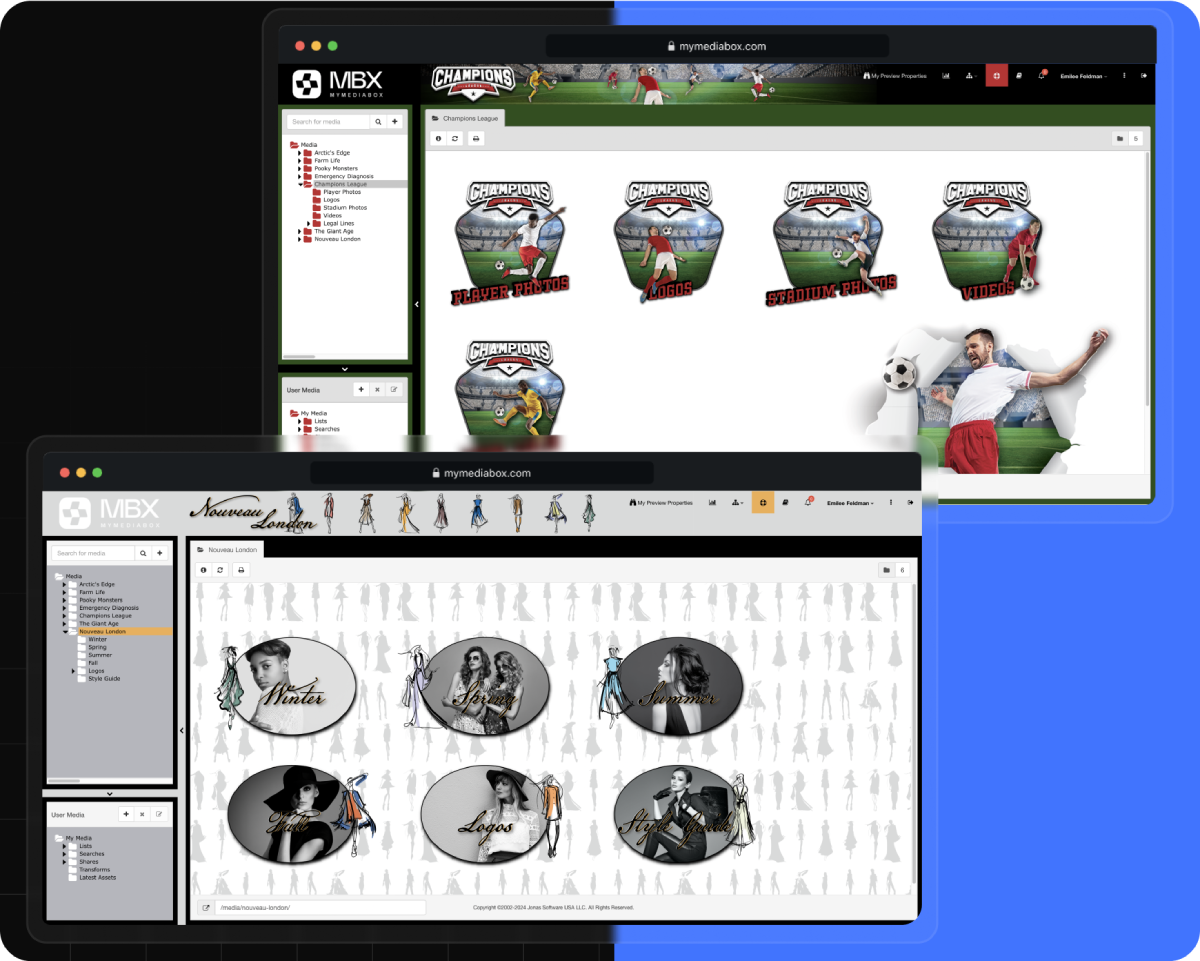
Deliver a highly branded user experience
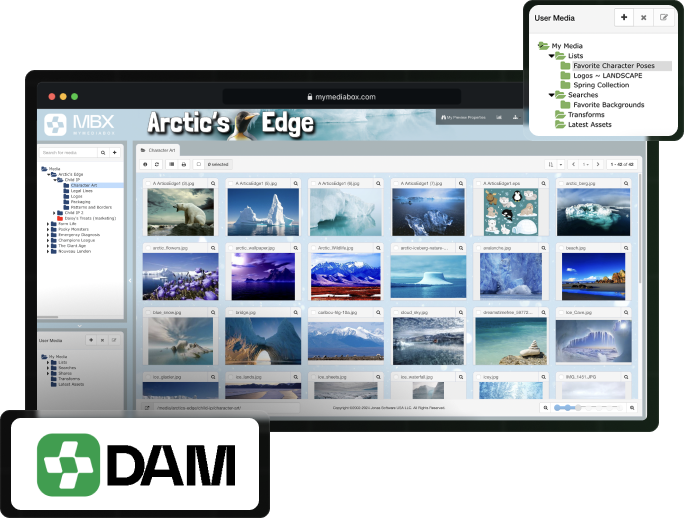
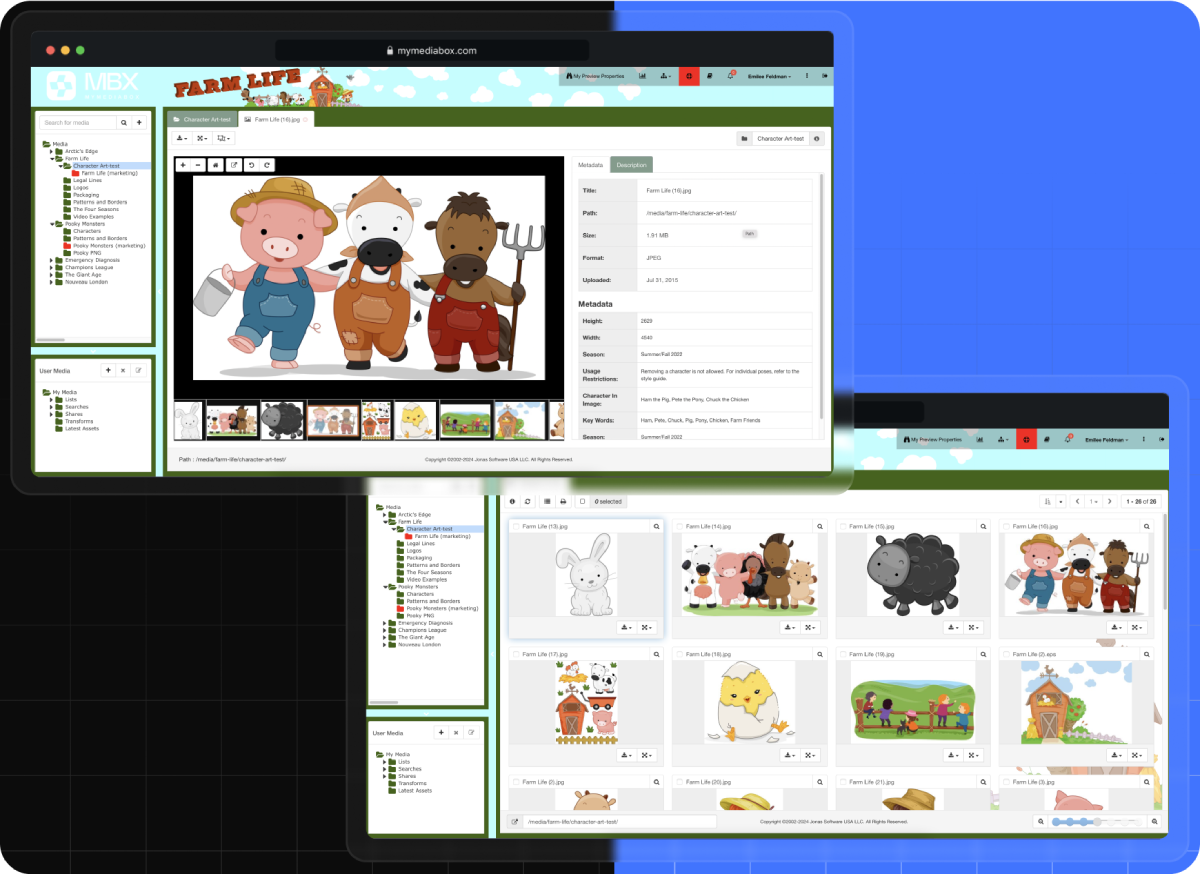
Create a visually engaging digital workspace that reflects your brand’s identity, from top-level properties to individual sub-folders, to help licensees understand and apply your brand’s look and feel. Mediabox-DAM offers flexible customization options, enabling licensors to tailor the presentation of digital assets for a global customer base while maintaining brand consistency across the entire licensing ecosystem.

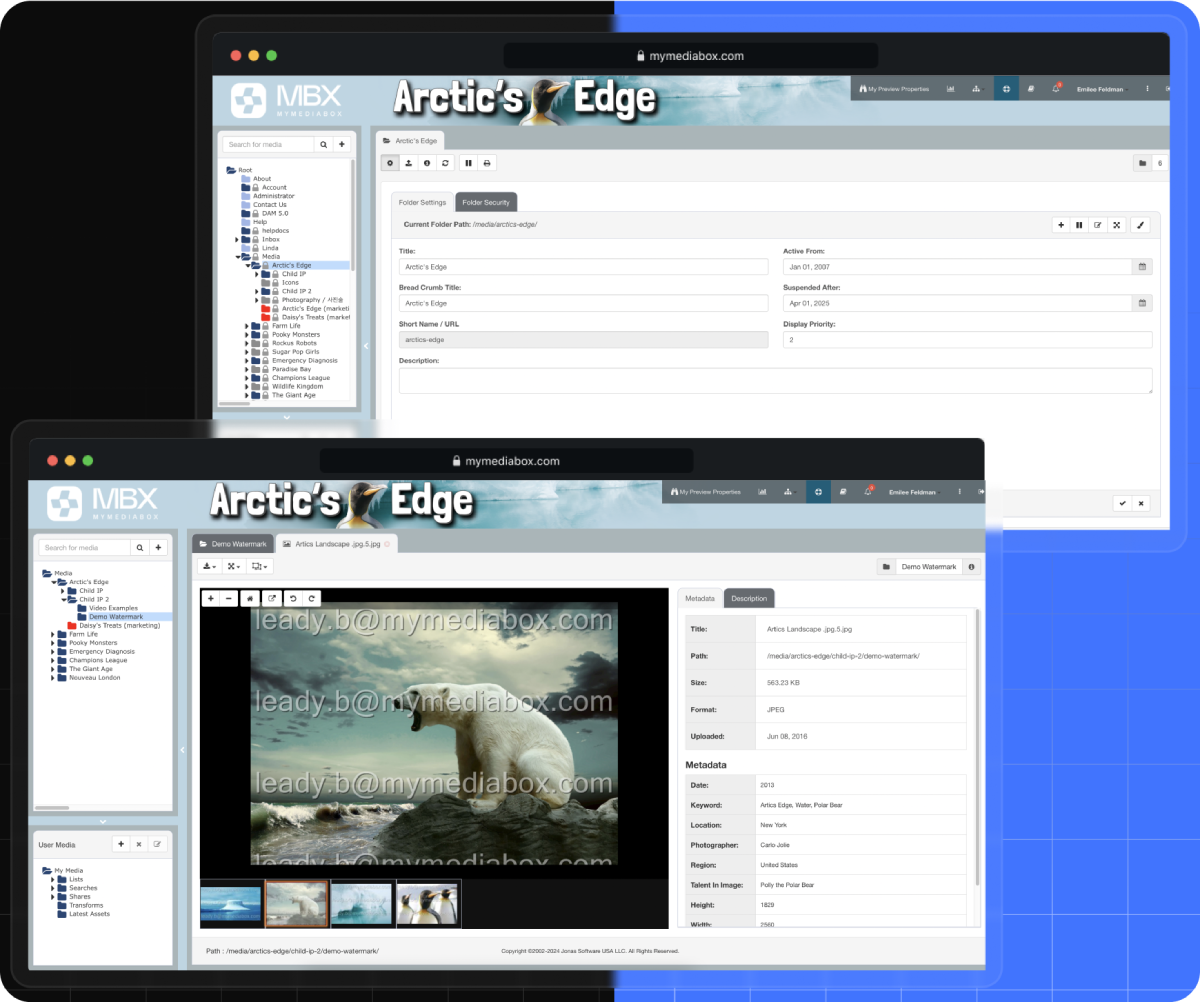
Add user-specific watermarks for enhanced security
Protect your digital assets by applying watermarks that display the user’s email address on all previews. This feature allows potential licensing partners to design early-stage design concepts while restricting access to high-resolution, non-watermarked files until an agreement is finalized.

Preview assets and metadata before downloading
Quickly preview large files and review detailed metadata before downloading, saving time and bandwidth. With the Mediabox-DAM brand asset management system, you can confidently select the right assets for your project without wasting resources.

Manage over 100 standard industry file types
Mediabox-DAM supports storing and managing various file types across open-source and proprietary formats, including images, video, audio, documents, presentations, and spreadsheets. This versatility allows creative teams to manage diverse digital assets within a single content management system, improving efficiency and simplifying workflows.


Digital Asset Management (DAM) Software
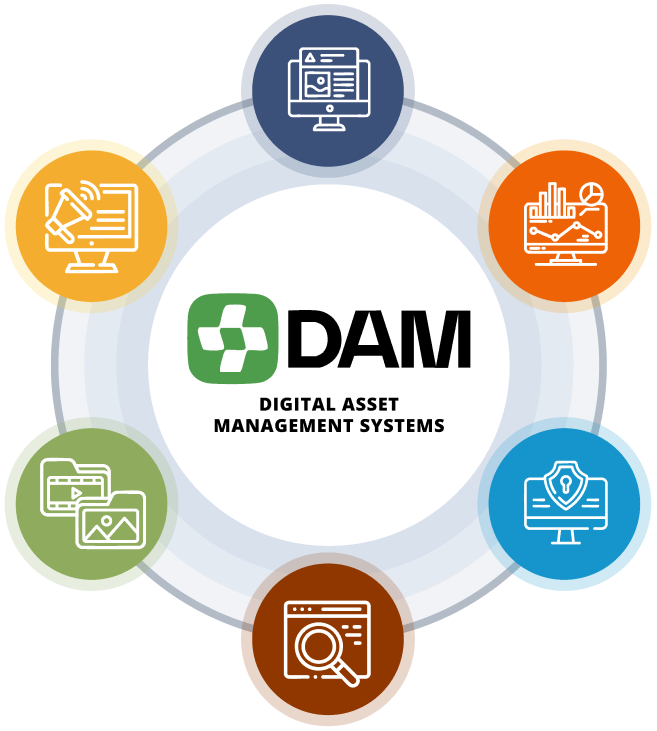
Our brand asset management software handles it all
Highly-Branded Environment
Create an engaging, on-brand experience that aligns with your brand guidelines.
Customized User Interface
Deliver a fully branded digital library that reflects your brand’s identity at every level, from main properties to subfolders, using customizable colors, logos, and images.
Dynamic Brand Experience
Inspire creativity and engagement with an immersive digital workspace that reflects your brand’s aesthetics.
Seamless Navigation
Enhance the user experience with collapsible folder trees, intuitive menus, and adjustable image scale sliders for easy browsing and organization.
Asset Management & Reporting
Efficiently manage, organize, and generate reports on your brand’s assets.
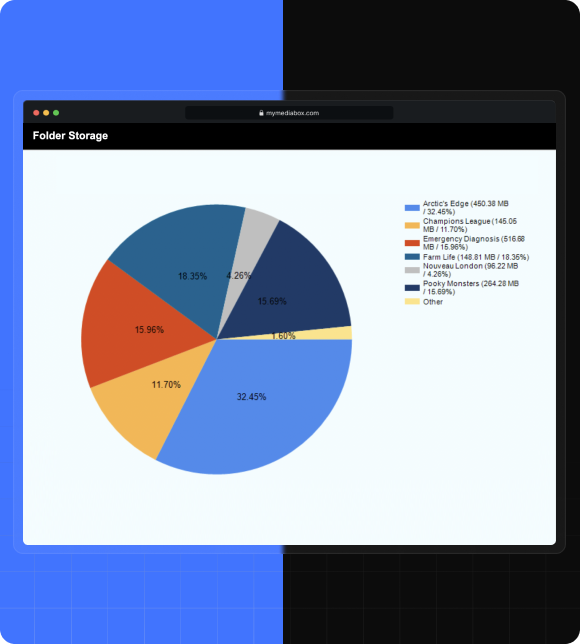
Comprehensive Asset Control
Easily upload over 100 file formats, including images, video, audio, documents, presentations, and spreadsheets. Manage files across both open-source and proprietary formats, such as Adobe files. Organize your digital assets with drag-and-drop functionality and flexible folder structures.
Metadata Tagging & Asset Description
Assign up to 100 custom metadata tags per brand asset, providing descriptive details and usage instructions while supporting efficient categorization and search functionality.
Analyze the ROI of Your Valuable Digital Assets
Track download activity and user engagement across all assets to optimize the composition of your brand asset management library. Generate real-time reports and export them to Excel, PDF, and other formats for deeper analysis and informed decision-making.
Reduce Asset Duplication Complexities and Costs
Asset aliasing enables licensors to display a single asset in multiple folder locations, giving licensees a more customized, curated experience without duplicating files. This reduces storage costs and streamlines asset library management.
Security & Rights Management
Protect all your digital assets and fully control user access with extensive security features.
User-Level Access Control
Define user access to the property/brand style guide at multiple folder levels and individual assets based on rights and date ranges specified in the licensing agreement.
Granular Permission Settings
Assign browsing and download permissions for preview or high-resolution assets, while maintaining control based on specific date ranges.
Asset Watermarking Security
Apply user-specific watermarks that display the user’s email address across previewed assets to help prevent unauthorized use and ensure accountability.
Enhanced Password-Protected Access
Ensure all users are authenticated before accessing the system, with extensive options for password policies, single sign-on (SSO) and multi-factor authentication (MFA).
Search
Quickly locate assets with powerful, intuitive smart search tools.
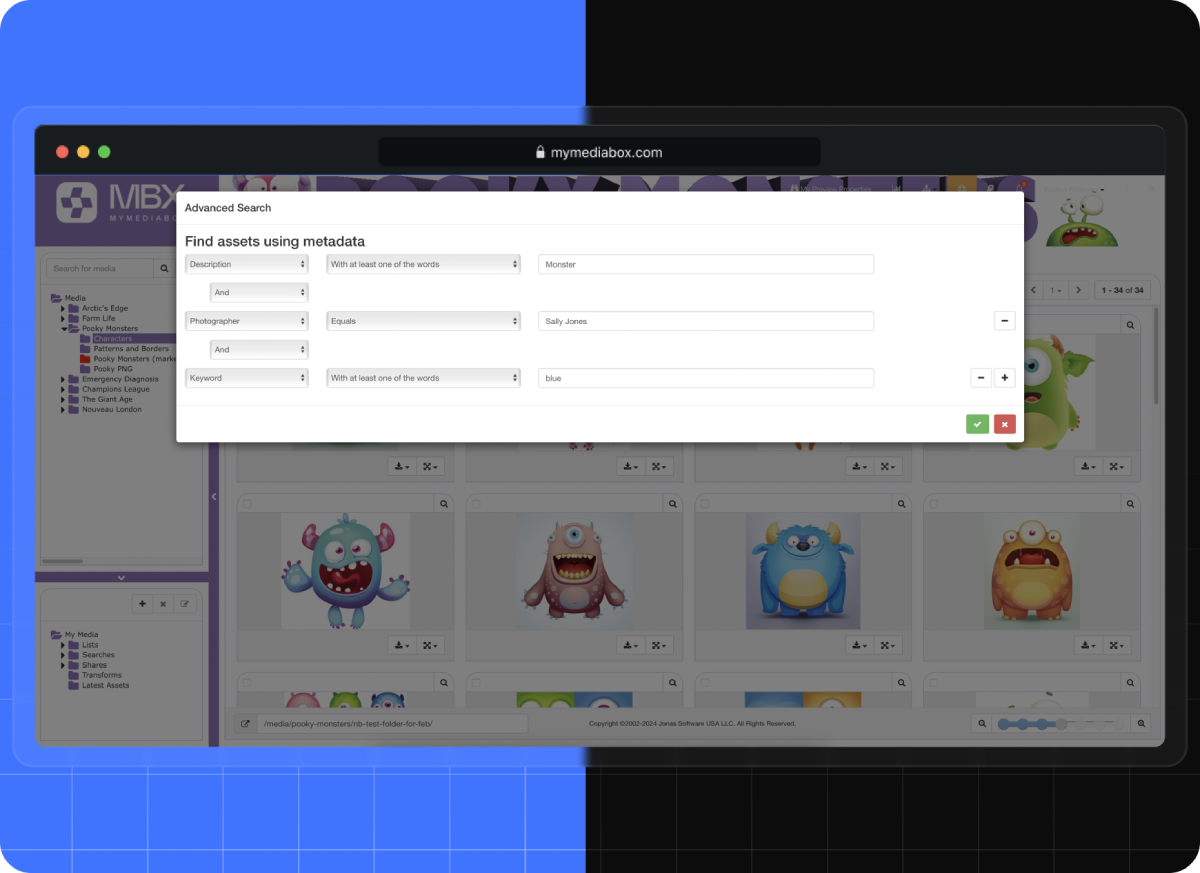
Advanced Search Engine
Utilize industry-standard Elasticsearch tools using keyword searches and up to 100 customizable metadata tagging options, including file types, file names, folder names, descriptions, keywords, and more.
Metadata Preview
Quickly assess brand asset relevance by viewing key metadata at thumbnail and detail levels.
Saved Searches
Save complex search criteria for quick access in the future.
Asset Collections
Organize and save frequently used brand assets for quick access.
Personalized Collections
Enable users to save preferred brand assets and digital files in personalized collections, eliminating the need to repeatedly search for the same items.
Efficient Organization
Organize assets using custom folder structures within a centralized system to ensure fast, efficient access and streamlined brand asset management.
Asset Sharing
Share selected content with external partners via secure links without having to grant access to the system.
Marketing Pages
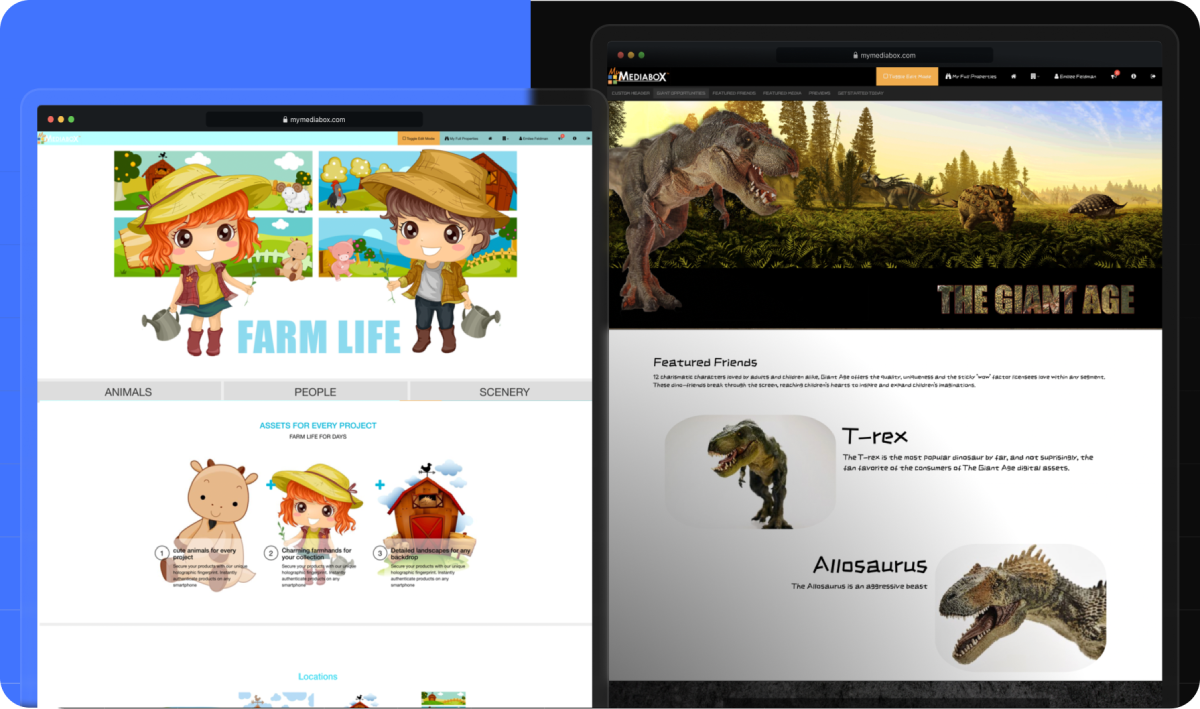
Create dynamic, visually engaging sell sheets with password-protected pages.
Interactive and Branded Templates
Use customizable templates to create interactive brand elements that require no special graphic design or coding skills.
Dynamic Content Presentation
Give prospective licensees alternative views of assets and brand style guides to help them visualize the brand’s potential and spark new product designs.
How Teams Use Mediabox-DAM
Brand managers lose time and brand consistency when digital assets live across email threads, shared drives, and FTP folders that no one fully controls. Mediabox-DAM brand management software replaces that with a centralized brand asset library that puts the right brand assets in front of the right people, scoped to their contractual rights. These examples show how different organizations use it to keep their brand governance and licensing programs running smoothly.
Entertainment Licensors and TV/Film Studios
When a studio licenses a character property to hundreds of manufacturers across global markets, the brand team needs to distribute approved art packs, color palettes, and style guides without losing control of who has access to what. Mediabox-DAM organizes brand assets by property, with per-licensee permission settings that reflect the terms of each licensing agreement. A licensee in Japan sees only the assets they’re licensed to use, scoped to their territory and contract window. When style guides are updated mid-season, the brand team replaces the files in the asset library and licensees access the current versions on their next login, with no email chain required to push the update.
Sports Organizations and Rights Holders
Sports organizations that license team marks, logos, and color palettes face a particular challenge: the brand assets are commercially valuable, rights are territorial, and the same marks may be licensed to dozens of external partners simultaneously. Mediabox-DAM lets rights holders set browsing and download permissions by property, territory, and contract date, giving brand teams a clear mechanism for governing brand assets across a global licensee network. A manufacturer producing goods for a European market can access EU-approved assets without seeing marks restricted to other regions. Watermarked previews, which display the reviewer’s email address, let prospective licensees begin early-stage design work and develop on-brand concepts before a deal is signed, without accessing print-ready files before authorization is in place.
Video Game Publishers
Game publishers running licensing programs for character art, key visual packs, and marketing assets often deal with pre-release access windows in which control over who sees what and when matters considerably. Mediabox-DAM’s date-based permissions unlock high-resolution, non-watermarked files only after a licensing agreement is executed, ensuring external partners only access approved assets at the right stage of a deal. The user-specific watermark on every preview image discourages unauthorized sharing of unreleased art. Asset aliasing lets the same character art surface across multiple property folders in the brand asset library without duplicating the underlying file, which keeps storage lean as art catalogs grow over a title’s lifecycle. Version control is handled at the folder level, so licensees always pull from the current art pack rather than working off files downloaded months ago.
Celebrity Estates and Heritage IP Managers
Teams managing the brand identity of a celebrity estate or heritage IP property often combine a small internal staff with a large global licensee network. Protecting brand integrity means reliably providing licensees with the current logo, correct color palettes, and brand guidelines, and ensuring usage rules are enforced without manual follow-up. Mediabox-DAM, purpose-built brand asset management software, stores each version of the style guide with defined access windows, so licensees always find approved assets rather than outdated logos or artwork forwarded in old emails. The download activity reports give brand managers a clear view of which files are being accessed and by whom, so misuse can be identified and addressed quickly.
Licensing Agents Managing Multiple IP Portfolios
Licensing agents represent multiple IP clients and need to distribute brand assets and brand guidelines to each client’s licensees without overlapping portfolios. Mediabox-DAM’s permission structure handles this at the property level: each IP sits in its own branded environment with its own brand identity, folder structure, and access controls, functioning as a dedicated brand asset library for that client. A licensee accessing one client’s assets has no visibility into any other client’s portfolio. The agent’s internal team manages all properties from a single source of truth, which replaces multiple tools, including FTP folders, shared drives, and email threads that accumulate when running several active programs simultaneously.
Consumer Brands and Corporate Trademark Licensors
Consumer brands that license their trademark to manufacturing and retail partners need every licensee to work from the same current version of the company logo, approved color palettes, and brand guidelines. When those guidelines change, how quickly updated assets reach external partners determines whether the change actually takes effect in the market. Mediabox-DAM gives the brand team a single place to publish current brand assets, so partners always download from the live source. Version control is handled at the folder level, so there is no risk of an external partner producing products based on an outdated logo pulled from a two-year-old email attachment.
 JA
JA  EN
EN  ES
ES