Cloud-Based Licensing Management Software
Manage Contracts, Royalties, and Approvals From Anywhere
MyMediabox is a fully cloud-based licensing management platform. Licensors, brand managers, and agents access contracts, royalty data, rights, product approvals, and digital assets through a standard web browser, with no software installation or server maintenance required. Licensing teams in 125 countries use it daily.







How MyMediabox’s Cloud Platform Manages Your Licensing Program
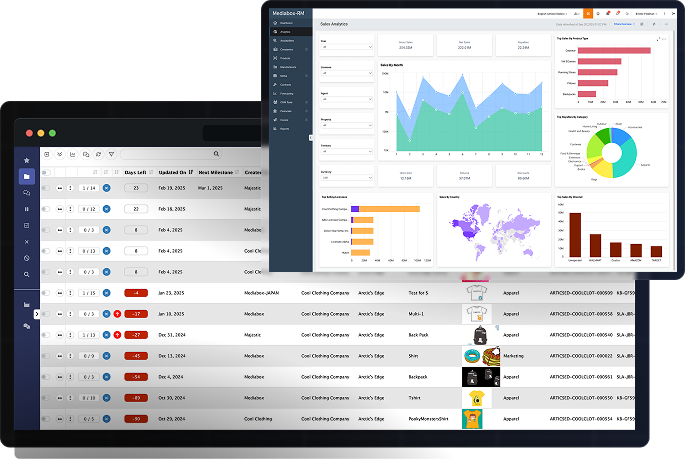
MyMediabox is a licensing management platform used by organizations in consumer products, entertainment, publishing, sports, and more. Teams manage contracts, track royalties, run product approvals, and distribute digital assets through a single browser-based system. Because MyMediabox runs in the cloud, every user accesses the same data in real time, regardless of location.

Automatic Updates
MyMediabox manages all software updates, security patches, and infrastructure maintenance. Teams always work on the latest version without scheduling downtime.

Data Security and Compliance
All data is encrypted in transit and at rest. Role-based access controls restrict data visibility by user, territory, property, date range, and more.

Faster Deployment
Cloud deployment eliminates server procurement, hardware configuration, and on-site installation for faster start-up.

Multi-User Collaboration
Teams across different offices, time zones, and territories work in the same platform simultaneously. Licensee portals give external partners direct access to submit reports and approvals.

Scales With Your Portfolio
Add users, properties, and licensing modules as your program grows. MyMediabox handles programs ranging from a handful of agreements to thousands of active licenses.


Cloud-based License Management Software
MyMediabox’s Cloud Platform Covers You Fully
Security
Role-Based Access Controls
Administrators assign permissions at the user level, restricting data access by function, territory, property, date range, and more. Licensees accessing through their dedicated portal only see data tied to their specific agreements.
Encrypted Data in Transit
MyMediabox forces HTTPS connections across the platform, encrypting data between your browser and the server from the moment you connect. This protects login credentials, digital assets, comments, and confidential content as they move across networks.
Daily Vulnerability Scanning and Annual Penetration Testing
MyMediabox applications are scanned daily by automated processes for security vulnerabilities. Annual independent penetration testing is conducted by a third-party team to identify and resolve concerns that automated scans do not detect. MyMediabox also works with external cybersecurity firm, Coalition Security Group.
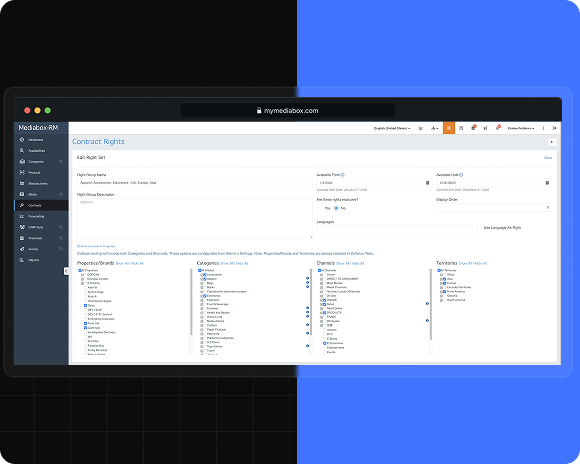
Deployment
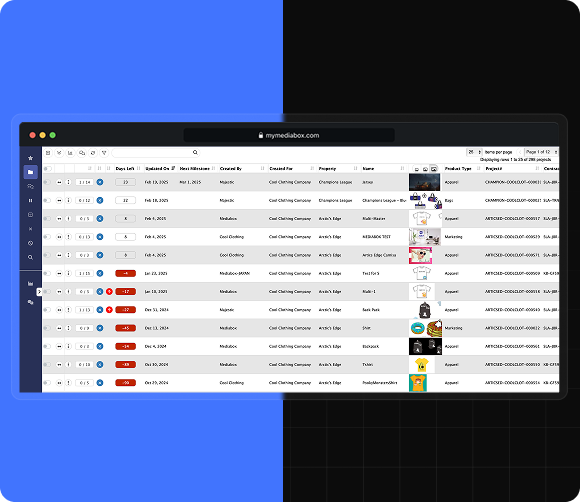
No Hardware Required
Organizations access the platform through a standard web browser without procuring servers, configuring on-site software, or involving internal IT in setup.
Fast Onboarding
For most organizations, completing implementation and beginning to manage contracts and royalties is quick. MyMediabox’s onboarding team configures the platform to match existing contract structures, approval workflows, and reporting requirements.
No Ongoing IT Maintenance
MyMediabox handles infrastructure management, data backups, and platform updates. Internal IT teams carry no maintenance responsibility for the software.
Collaboration
Multi-Territory Access
Teams in different offices and countries work in the same platform simultaneously. Rights, royalties, and approvals reflect current data for all users in real time, with no data synchronization delays between regions.
Licensee Portals
Licensees log in through a dedicated portal to submit royalty sales reports, upload product approval requests, and access licensed style guide assets. All submissions feed directly into the licensor’s workflow without email or manual handling.
Activity Tracking and Audit Trail
All changes, submissions, and approvals are logged with timestamps and user attribution. Teams maintain a clear audit trail across the entire licensing program without maintaining separate change logs.

Scalability
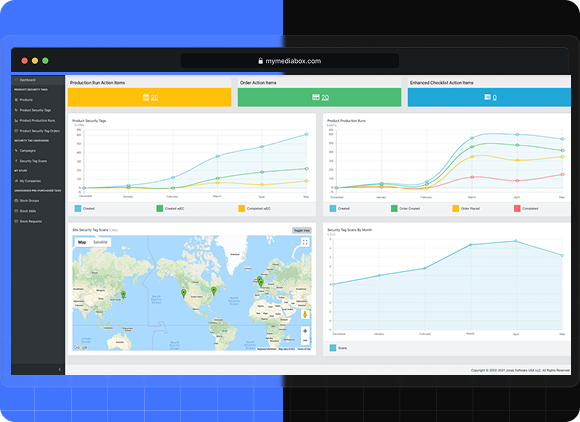
Add Users Without Downtime
Bring new team members or licensees onto the platform without affecting existing users or requiring system restarts. User provisioning does not interrupt active sessions.
Expand Modules as Needed
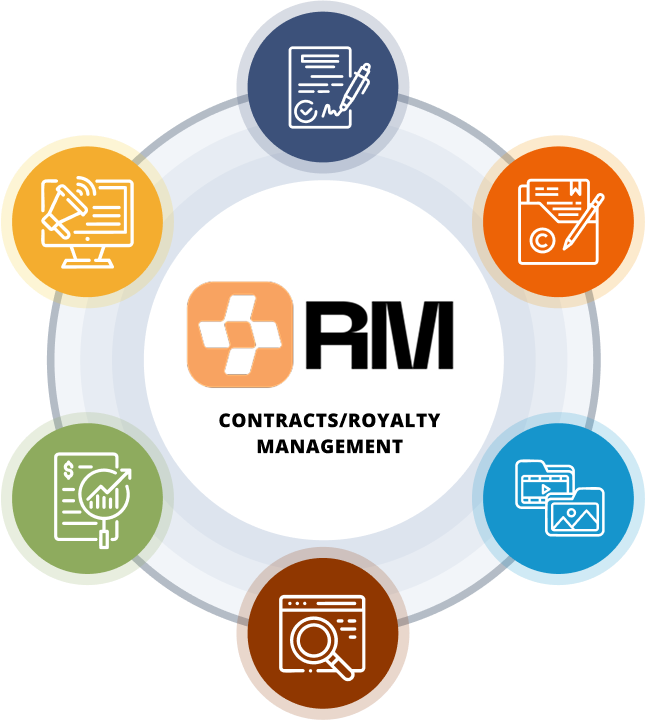
Organizations can start with contract and royalty management (Mediabox-RM), then add product approvals (Mediabox-PA), digital asset management (Mediabox-DAM), or security tag management (Mediabox-SM) as programs require.
Handles High Data Volumes
The platform processes large royalty data files, including sales uploads of up to 100,000 rows, without performance degradation. High-volume royalty programs do not require separate infrastructure.
Integrations
Third-Party Integration
MyMediabox integrates with third-party ERP systems, compliance databases, and BI tools. Royalty and financial data pushes to and pulls from external reporting environments via Mediabox-RM. Mediabox-PA connects to external contract and compliance data to ensure licensees can only progress submissions when a valid agreement and approved supplier are in place.
Excel and PDF Export
Teams export full contract, royalty, and reporting data into Excel or PDF formats for external analysis, audits, and stakeholder reporting, without recreating data manually.
Cross-Module Data Sync
Contract rights and date ranges from Mediabox-RM can be mirrored in Mediabox-DAM, restricting asset access to what has actually been licensed. Approved SKUs and project data from Mediabox-PA sync back to Mediabox-RM, keeping royalty reporting aligned with approved use.
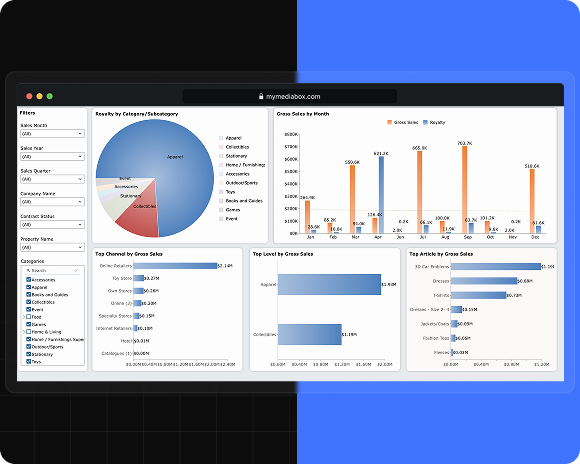
Support

Global Time Zone Coverage
Support is available across virtually all time zones, so teams in North America, Europe, and Asia-Pacific can reach MyMediabox when issues arise, without waiting for business hours in a single region.
Onboarding and Training
MyMediabox provides onboarding for administrators and end users, covering platform configuration, workflow setup, and reporting customization. Live virtual training is available, as well as access to our online training portal/library. The online training library provides role-based learning resources, including videos and tutorials, to support internal teams and licensees throughout implementation and beyond. Users can access training at their own pace, in their own time zone. Training is available for both initial deployment and when new team members join.
Regular Platform Updates
MyMediabox releases platform improvements on a regular schedule. Users receive new features and performance improvements automatically, without submitting update requests or coordinating deployment windows.
 EN
EN  JA
JA  ES
ES