

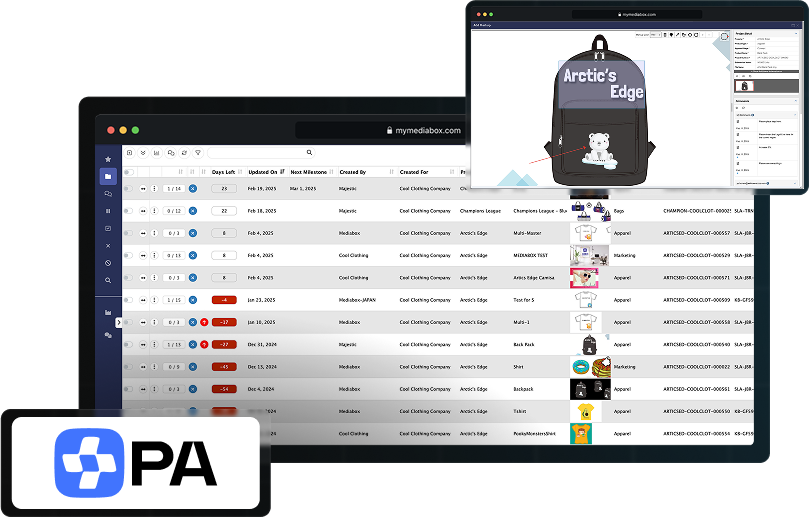








How Mediabox-PA simplifies your creative projects
Mediabox-PA is not simply a SKU-focused product approval software—it’s a centralized platform for managing any creative project based on your intellectual property. From SKU-focused consumer products to publishing and non-SKU projects such as social media posts, packaging, and marketing campaigns, Mediabox-PA ensures every project moves seamlessly from concept to final approval while maintaining brand integrity.
The system is highly flexible, allowing you to create custom approval forms with approval stages linked to individual product categories. Mediabox-PA maintains an efficient and confidential approval process by showing each user only the projects relevant to their contract rights and roles.
With built-in integrations to Mediabox-RM and Mediabox-SM, you can sync approved SKU data for accurate royalty reporting and track security tags to protect your brand. We also offer Mediabox-DAM, a solution to manage digital assets. No matter the complexity of your workflow, Mediabox-PA scales with your business to deliver a secure, streamlined way to faster approvals.

Customize and Standardize Your Workflow
Leverage a globally trusted project management tool with a standardized approval workflow while remaining highly configurable, allowing you to create workflow templates to meet your company’s specific requirements.

Take Control with Centralized Submissions
Keep all your submissions in one centralized location, providing complete visibility and control over the entire approvals process.

Unlock Insights to Make Smarter Decisions
Utilize advanced reporting tools and analytics to optimize your workflow and influence data-driven business decisions.

Scale Seamlessly as Your Business Grows
Designed to grow with your business, Mediabox-PA’s approval features support your evolving needs, enabling leaner teams and project managers to handle higher workloads easily, including complex group approvals.


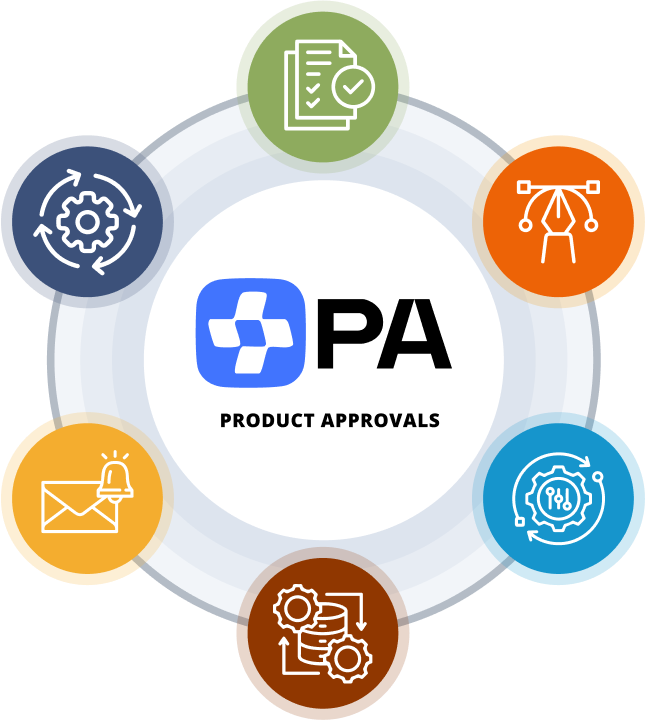
Our product approvals software handles it all
Role-Based Approvals
Our workflow management approval software adapts to your business processes, whether one team is responsible for final approval for every submission or your approval processes are complex, with multiple tiers of internal and external reviewers who provide feedback before making an approval decision.
Customizable Access Control
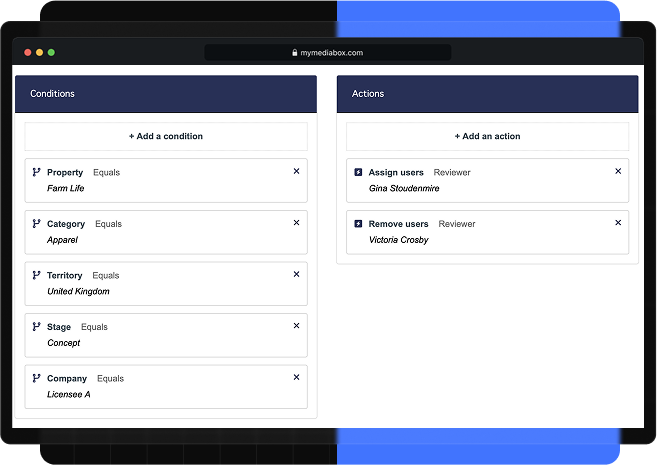
Define user access rights by date range, property, category, territory, project, and licensee company to ensure only authorized personnel can view or approve submissions.
Granular Roles and Rights Task Assignment
Robust user-routing task management tools allow you to assign individual users to project tasks based on their specific rights and roles. This ensures that sensitive projects remain secure and that the correct departments can access projects that require their review.
Comprehensive Project Tracking
Quick and easy access to all projects across all stages of completion with audit trails, including version history, comments, historical files, and individual user-level activities to deliver a 360-degree view into your product workflows.
Creative Tools
Collaborate effortlessly with intuitive tools designed for creative workflows. Comment, annotate, and provide feedback on artwork, enabling your team to refine and approve designs more efficiently.
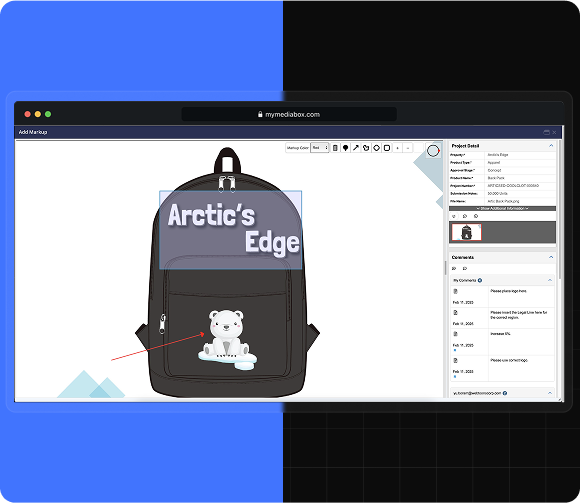
Markup Features
Review and annotate artwork using tools such as drawing free-form shapes, boxes, and arrows to invite reviewers to provide precise feedback.
Real-Time Commenting Across Multiple Concurrent Users
Collaborate directly with your peers on submission artwork, featuring integrated comment threads to accelerate review steps.
Mobile Accessibility
Our mobile approval tool, compatible with Android and iOS devices, enables reviewers to review and approve submissions with essential functionality on the go.
Side-by-Side Artwork Comparisons
Easily compare previous submission artwork to track changes and ensure all feedback has been incorporated before final approval.
Export Options for Offline Artwork Editing and Collaboration
Download the source files, make the necessary changes, and reupload them into the project submission to share revised files with your team members, licensees, and peers.
Flexible Workspaces
Customize the way you view and manage projects to suit your needs and improve your team’s productivity.
Personalized Views
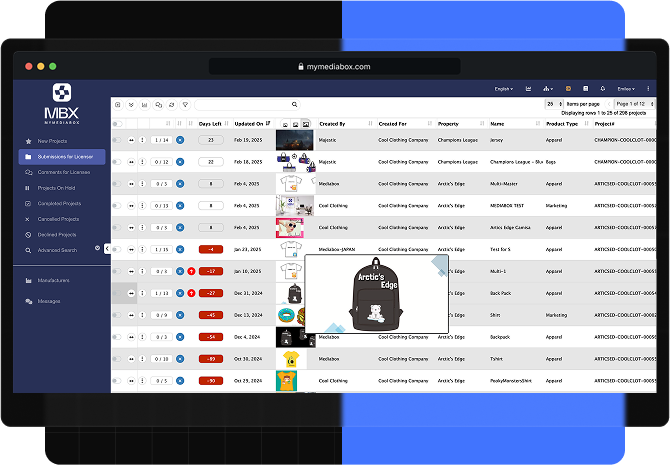
You can rearrange column order, apply filters, and adjust layouts to display exactly the projects you need to work on. Customize your workspace to keep your entire team focused and organized.
Enhanced Project Navigation
Quickly locate projects with keyword search functionality and column data filters. Activating features like approval forms and “at a glance” image previewing directly from your project list enables quick and easy navigation to the projects you want to work on.
Integration with Mediabox-RM
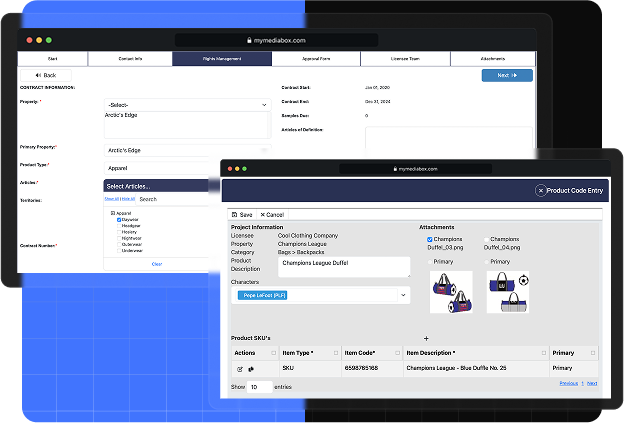
Control the types of projects licensees can start based on their contractual rights to mitigate the risk of costly errors.
Centralized Product Catalog
Maintain a central catalog in Mediabox-RM of approved SKUs, tracking details such as cost, SKU, property, category, and product image to ensure accuracy across all licensees.
Rights-Based Controls
Limit the licensee from starting projects based on a combination of properties, categories, territories, and other factors, as defined in the contract, to ensure alignment with contractual rights and prevent unauthorized work.
Email Notifications
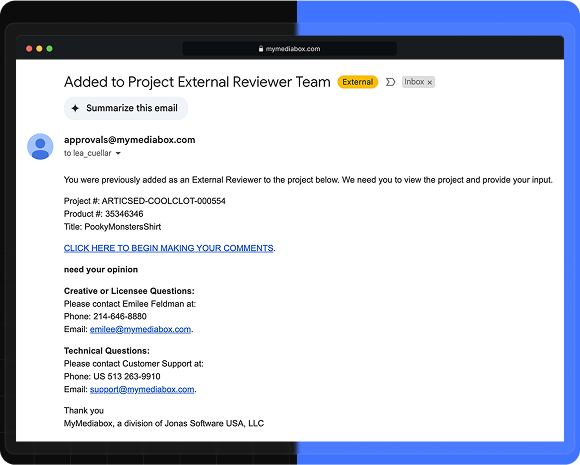
Receive real-time updates to ensure you never miss a new project or stage submission.
Automated Alerts
System-generated automatic notifications alert users of required actions and project updates, as well as deadline reminders.
Custom Workflows
Marketing teams should not settle for software that forces changes to established workflows. Mediabox-PA allows you to create an efficient approval process that aligns with your unique product lifecycle.
Customizable Approval Stages by Category
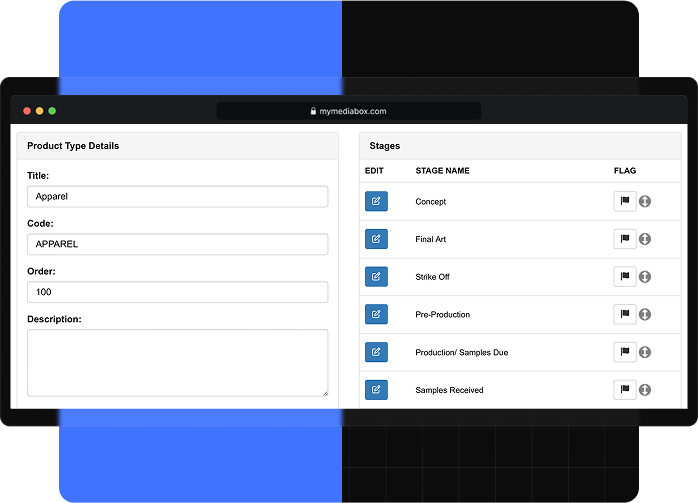
Our creative approvals workflow software allows you to create unlimited approval workflows by stage and product category. Within each workflow, projects are assigned to internal users, with multi-tiered team functionality available.
 EN
EN  ES
ES